How NOI Works
A transparent proxy that tokenizes PII in real time so your prompts stay useful and your data stays safe.
The NOI Pipeline
Five transparent steps between your app and the LLM. No SDK. No code changes.
Your App
Send your prompt as usual via the standard LLM API.
Detect PII
NOI identifies names, emails, SSNs, and 35+ configurable entity types.
Tokenize
PII is replaced with deterministic, reversible tokens.
LLM Provider
The sanitized prompt is forwarded to OpenAI, Anthropic, etc.
Detokenize
Tokens in the response are swapped back to real values.
Before & After
See exactly what changes when your prompt flows through NOI.
Please update the account for John Smith (SSN: 123-45-6789) at john@acme.com
PII is highlighted in red. Names, government IDs, and email addresses are all exposed in the raw prompt.
Please update the account for [NAME: Ry0Ixd1] (ID number: [GOV_ID: k8Lm2n]) at [EMAIL: bN3dF5h]
Every PII element is replaced with a deterministic, reversible token. Context is preserved and the LLM still understands the prompt.
Context Phrase Neutralization
NOI doesn't just tokenize values. It also neutralizes the labels that tell the LLM what kind of data it's looking at.
Without this, LLMs recognize tokenized data as sensitive and trigger safety refusals, breaking the user experience and causing teams to bypass privacy controls entirely. No other proxy solves this.
- social security number
- credit card number
- driver's license number
- bank account
- passport number
LLM recognizes sensitive data categories and refuses to process the request.
- social security number→ID number
- credit card number→account number
- driver's license number→document number
- bank account→account reference
- passport number→document number
Neutral labels let the LLM process the request without safety refusals.
Under the Hood
Technical details for engineering and security teams.
The same plaintext always produces the same token. This means "John Smith" in message 1 and "John Smith" in message 10 map to the same [NAME: Ry0Ixd1] token, preserving cross-message context without ever exposing real data to the LLM.
NOI doesn't just mask values. It neutralizes data-type labels that could trigger LLM safety refusals or re-identify sensitive categories. Labels like "social security number" become "ID number", "credit card number" becomes "account number", and "passport number" becomes "document number", so the LLM processes tokens without recognizing the underlying data type.
If PII detection encounters an error, the proxy blocks the request rather than letting unprotected data through. The system uses fail-safe architecture that blocks requests if tokenization is unavailable. Every decision is logged for audit.
NOI supports both standard and streaming (SSE) responses. Token replacement happens on-the-fly as chunks arrive from the LLM provider, so latency impact is minimal even for long streaming completions.
Vault tokens have a configurable time-to-live (TTL) that controls how long tokenized PII is stored. Free tier tokens expire after 1 day. Pro and Enterprise tiers can set retention from 1 day to permanent, giving compliance teams direct control over data lifecycle. A TTL of zero means tokens are retained indefinitely. When a token expires, the underlying PII is permanently deleted from the vault.
Supported Entity Types
NOI detects and tokenizes 35+ configurable PII entity types across five categories.
Identity
- Person names
- Email addresses
- Phone numbers
- Physical addresses
- Date of birth
Government IDs
- Social Security Numbers (SSN)
- Passport numbers
- Driver's license numbers
- Tax identification numbers
Financial
- Credit card numbers
- Bank account numbers
- Routing numbers
- IBAN / SWIFT codes
Technical
- IP addresses
- MAC addresses
- Crypto wallet addresses
- URLs with PII parameters
Security
- API keys & secrets
- Database connection strings
- Private keys & certificates
- JWTs & auth tokens
Admin Console
A powerful dashboard for security, compliance, and engineering teams.
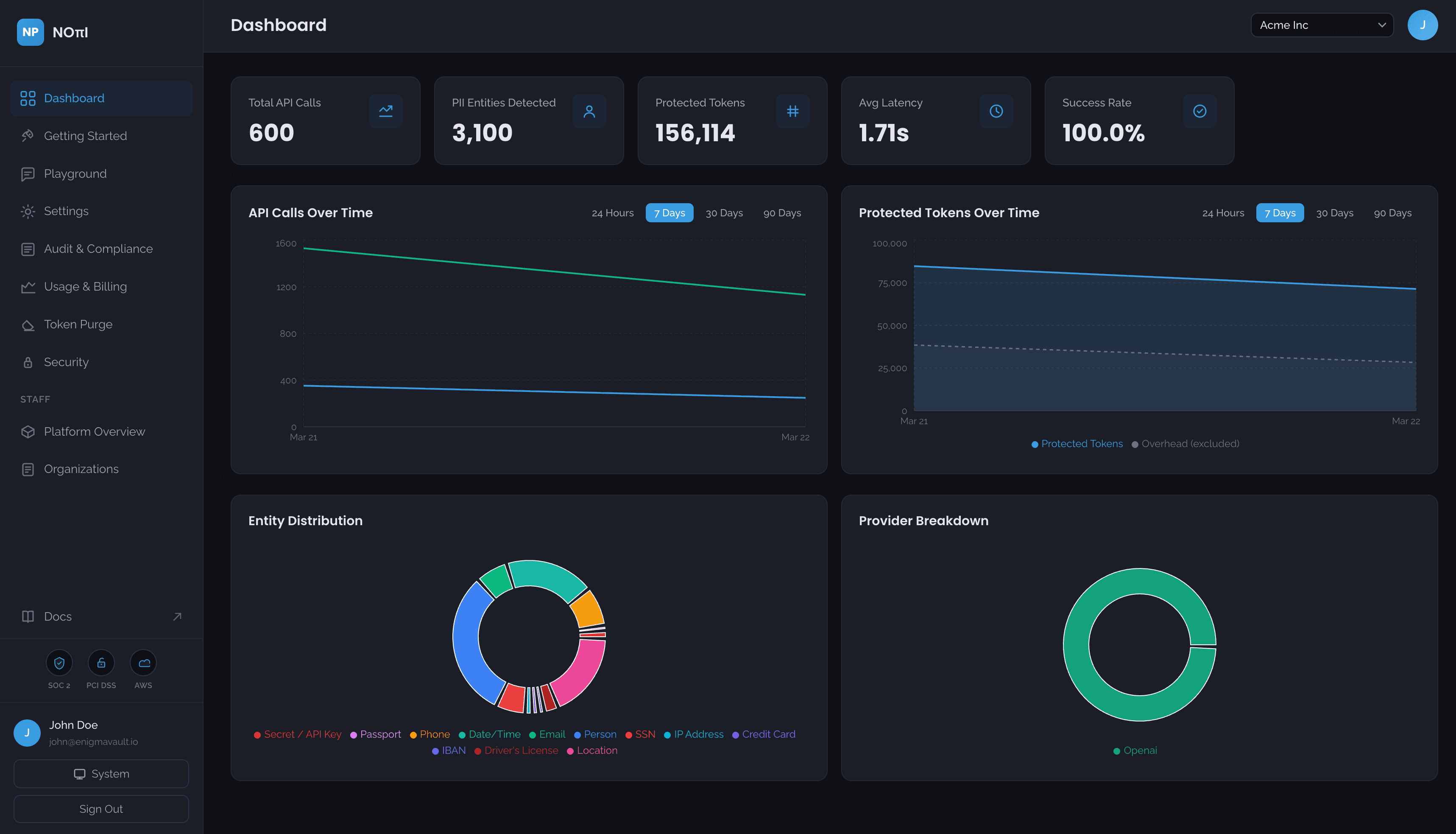
Get a real-time overview of your NOI deployment: total requests, PII detections, entity type distribution, and provider breakdown at a glance.
See it in action
Schedule a live walkthrough with our team and see how NOI fits into your stack.